Site map
Every site on one map. With the people on it.
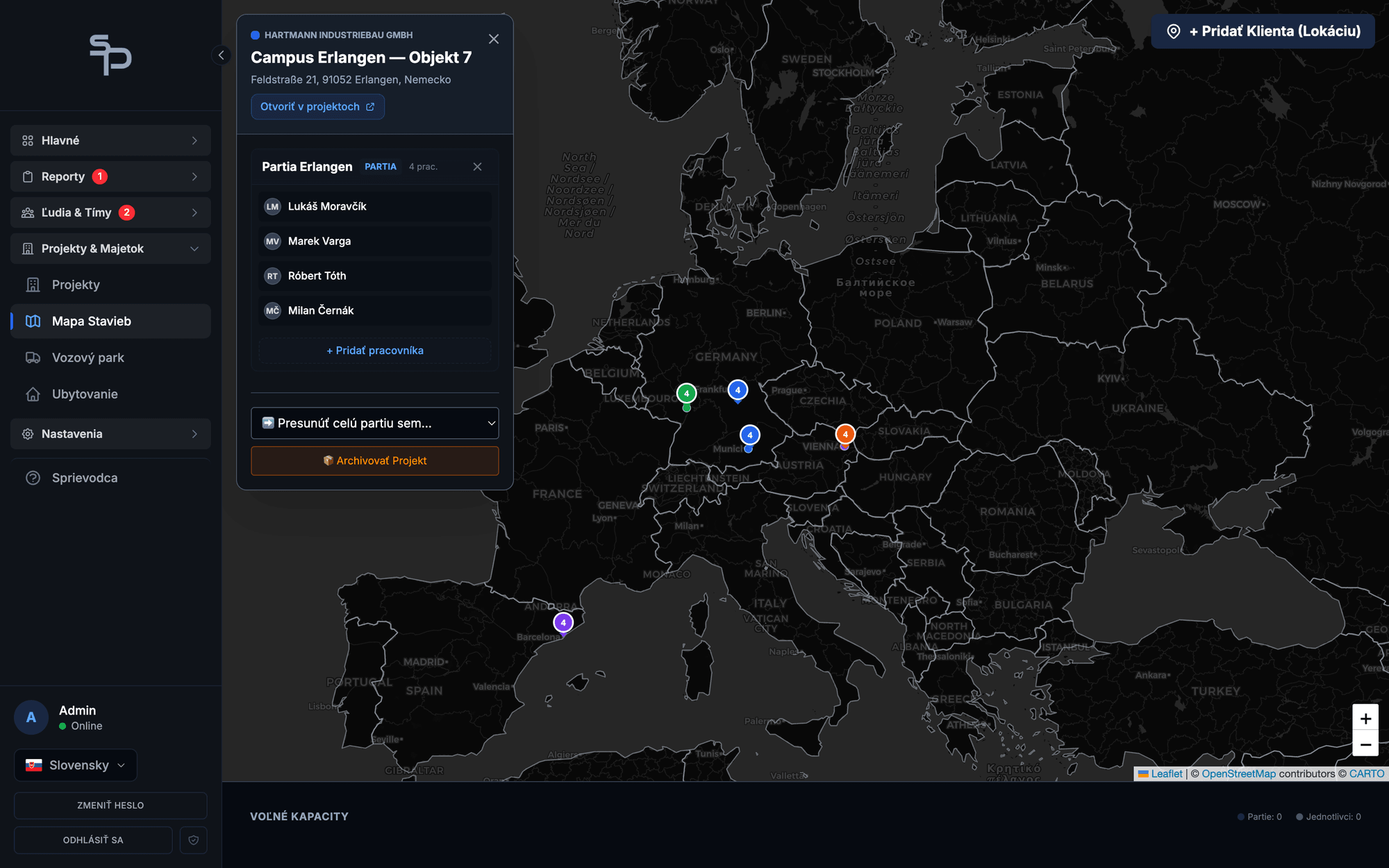
Each site is a pin on the map: who works there, for which client, and how many hours the crew has logged. No more digging addresses out of paperwork and chat threads.
What a company spread across Europe costs you without a map
A new site, a new worker, a night transfer. The address gets dictated over the phone, retyped into a message, and every so often a crew ends up at the wrong gate.
That can be the distance between your sites. You cannot see them from the office, so you keep them in your head, in a notebook and in your sat nav history.
And nobody knows they are neighbours. Crew B could have helped crew A on Wednesday if someone had seen it on a map instead of in two spreadsheets.
A company with people at five locations in two countries needs to see its sites the way they really are: on a map, not in a list of addresses.
From a list of addresses to an overview on the map
Every site is a pin on the map.
Active sites on a map of Europe, colour coded by client. Zoom in and you see what you have in Munich and what you have near Vienna.
Click a site and see what is happening there.
Crew, client, address, hours worked. From the map you jump straight to the project detail or to the reports.
The address is entered once, on the project.
The team leader gets it pre-filled in the daily report and the worker sees it on their phone. Nobody dictates it over the phone.
Plan transfers with the map in front of you.
You see which crews are close to each other. Cover or a transfer gets planned by distance, not by guesswork.
What each side gets
You as the owner
- The whole company on one screen, from Hamburg to Vienna
- One click instead of digging through folders and messages
- You see nearby sites and put them to use
- A new client? You immediately know what you have in the area
Team leader and worker
- The site address on the phone, with navigation
- The address pre-filled in the daily report
- No morning phone call about the wrong gate
Numbers from live operation
See your company from above
Fourteen days free, no credit card. We handle the setup and the training. If SubPRO does not save you at least ten hours of admin during your first paid month, that month is on us.