Finances and profit
The crew logs the hours. The system does the math.
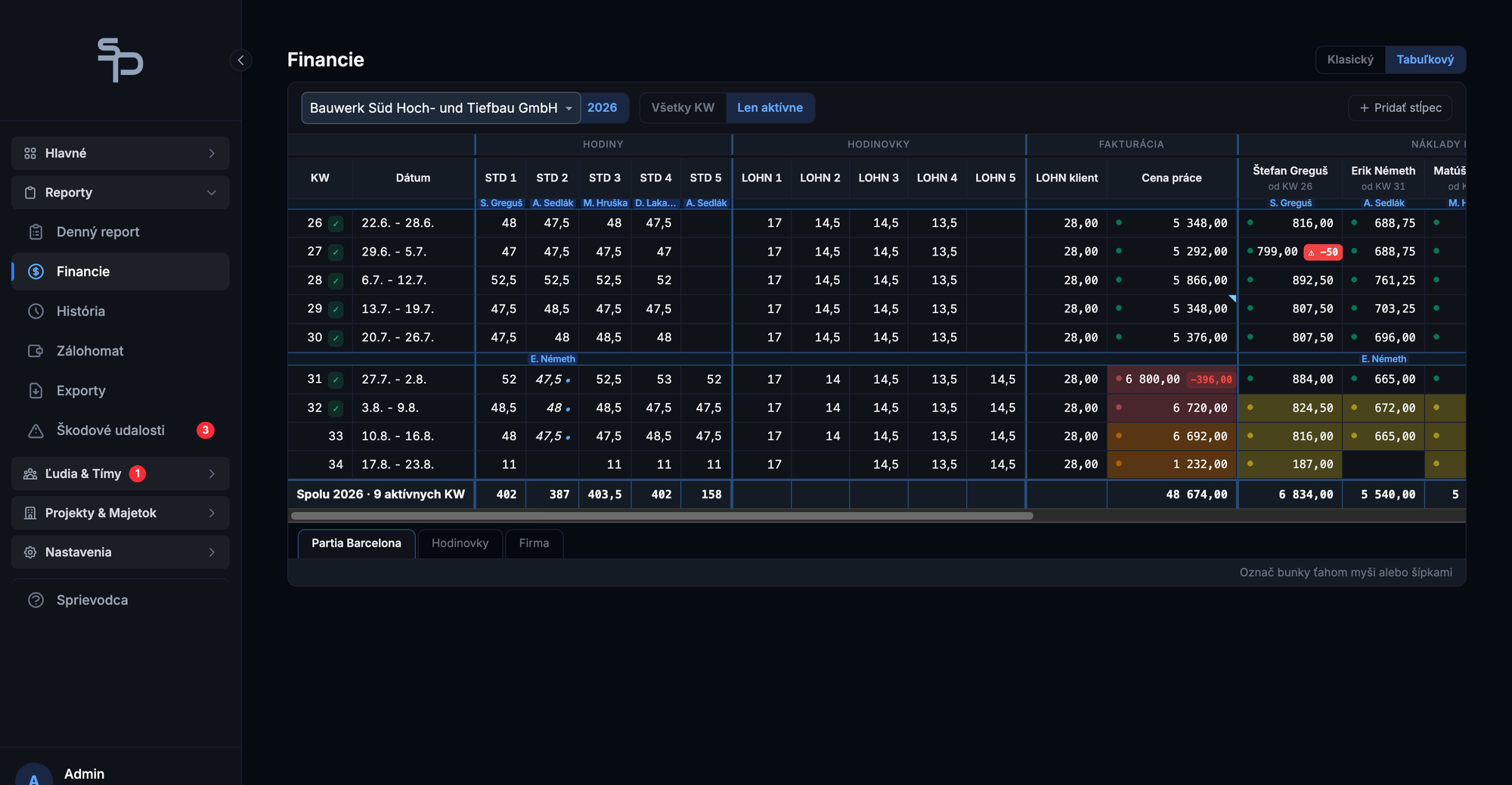
A sheet fills itself in from daily reports: client billing, worker wages, costs. The last column shows net profit and margin for every site, every week. And every invoice and payout shows whether it has been paid.
What finances living in Excel cost you
A typical margin per worker hour. With €32 from the client and €23 in wages plus housing and transport, little remains. One small cost shift and a site works for free.
How many times every hour gets retyped today: once into the client timesheet, once into the payroll sheet. Two spreadsheets, two kinds of typos, and evenings spent cross-checking.
One unpaid invoice wipes out a whole month's margin. In Excel nobody notices until the money for wages runs short.
At €5 margin per hour you don't survive on revenue, you survive on visibility. A company that sees profit and payment status every week pulls a losing job and chases an invoice months earlier than one waiting for year-end accounting.
From hours to margin without retyping
The sheet fills itself in from daily reports.
Hours from reports times worker rates and the client rate. Billing and wages are computed continuously, nobody retypes anything, and the numbers match the client timesheet because they come from the same source.
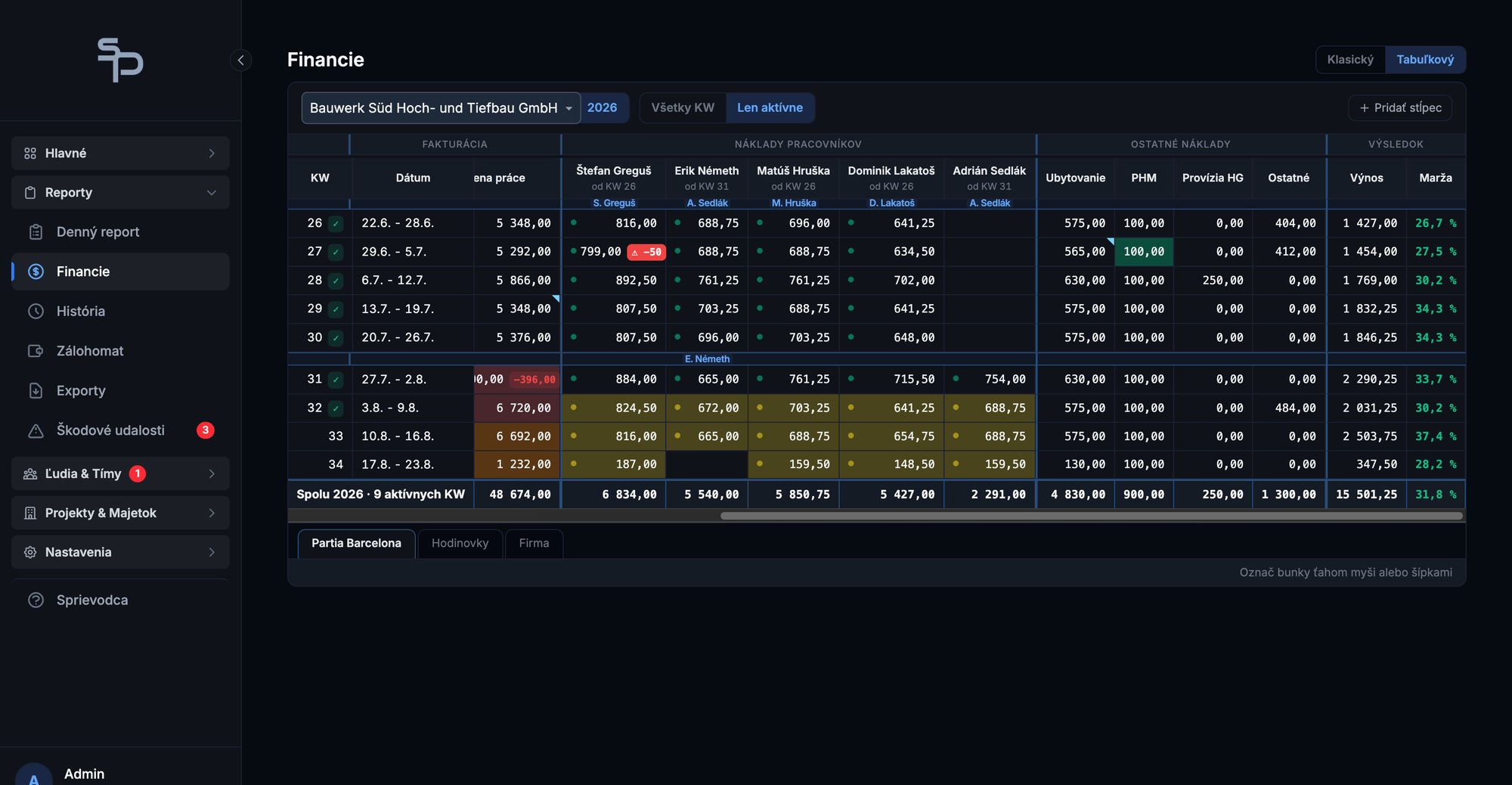
Adjustments go straight into a cell.
A worker fine, hours the client struck out, housing, fuel or any other cost. The sheet works like Excel, arrow keys and Enter included, and every entry updates the result instantly.
The last column: net profit and margin.
Every site and every week has its number. You see a red one on Friday, not at the end of the quarter, and you know exactly which week and which cost caused it.
Payment status in one click.
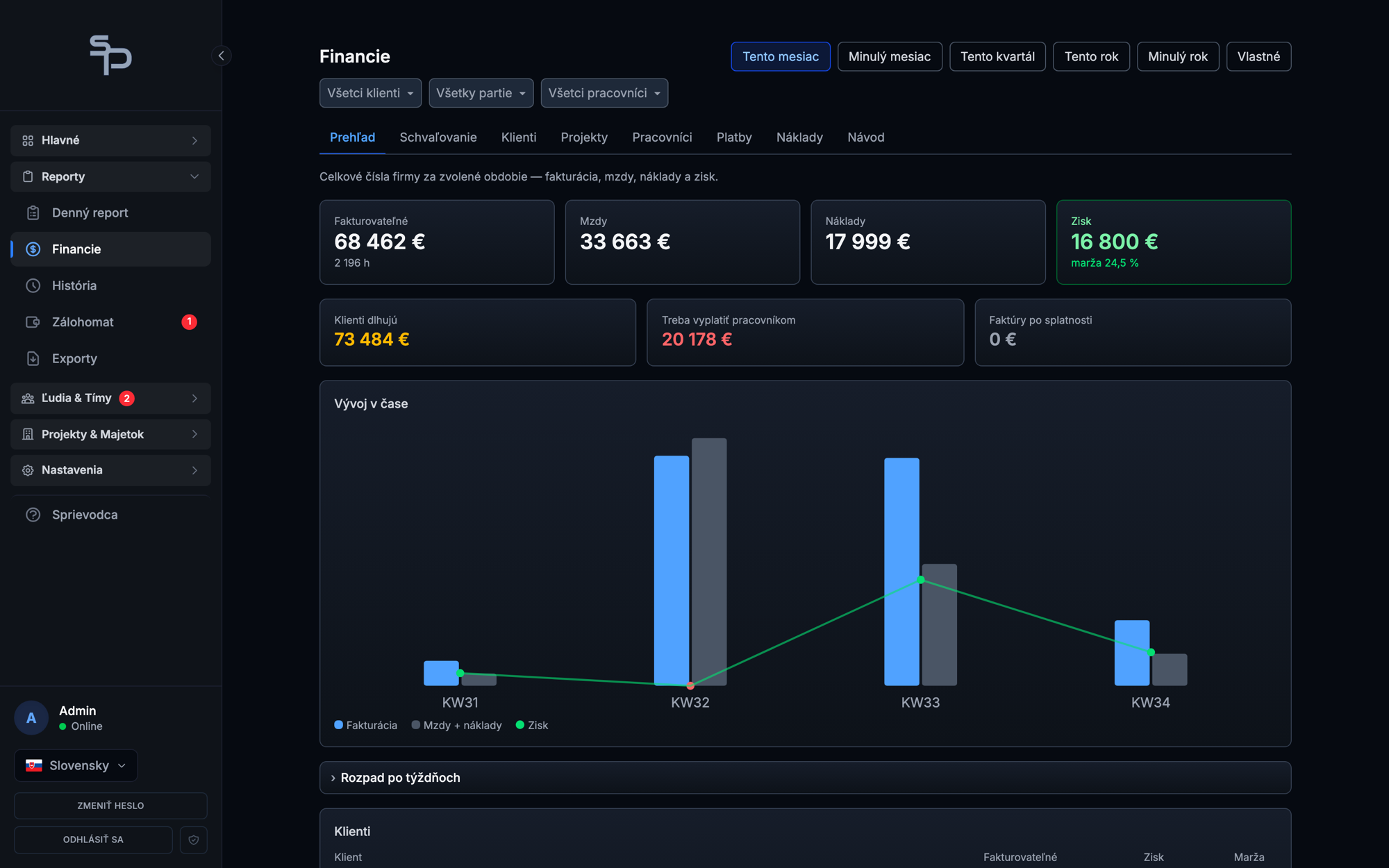
Invoice issued, paid or overdue. Payout paid in full, partially or not at all. One glance shows how much clients owe and how much is due to workers.
Who gets what out of it
You as the owner
- Net profit and margin per site continuously, not once a year
- Unpaid invoices and outstanding wages on one screen
- A losing job shows up in weeks, not months
- Negotiation backup: you know the rate at which a site pays off
Office manager and accountant
- Billing and wages computed from reports, nothing retyped
- Excel habits work, the sheet is keyboard-driven
- Fines, deductions and costs in a single entry right in the sheet
- Excel export for accounting any time
Numbers from live use
Find out this month which site is making money
Fourteen days free, no card required. We handle the setup and the training. If SubPRO does not save you at least ten hours of admin during your first paid month, that month is on us.